NoGrind
Download

Write your English as usual. NoGrind notes what you can’t say yet, and tests you on it later.

For people who already write code, pull requests and messages in English every day. Look up the sentence you’re stuck on; finding your weak points, writing exercises and scheduling reviews is NoGrind’s job.

Download for Windows Free · Windows 10 and 11

A Chinese speaker writes

English

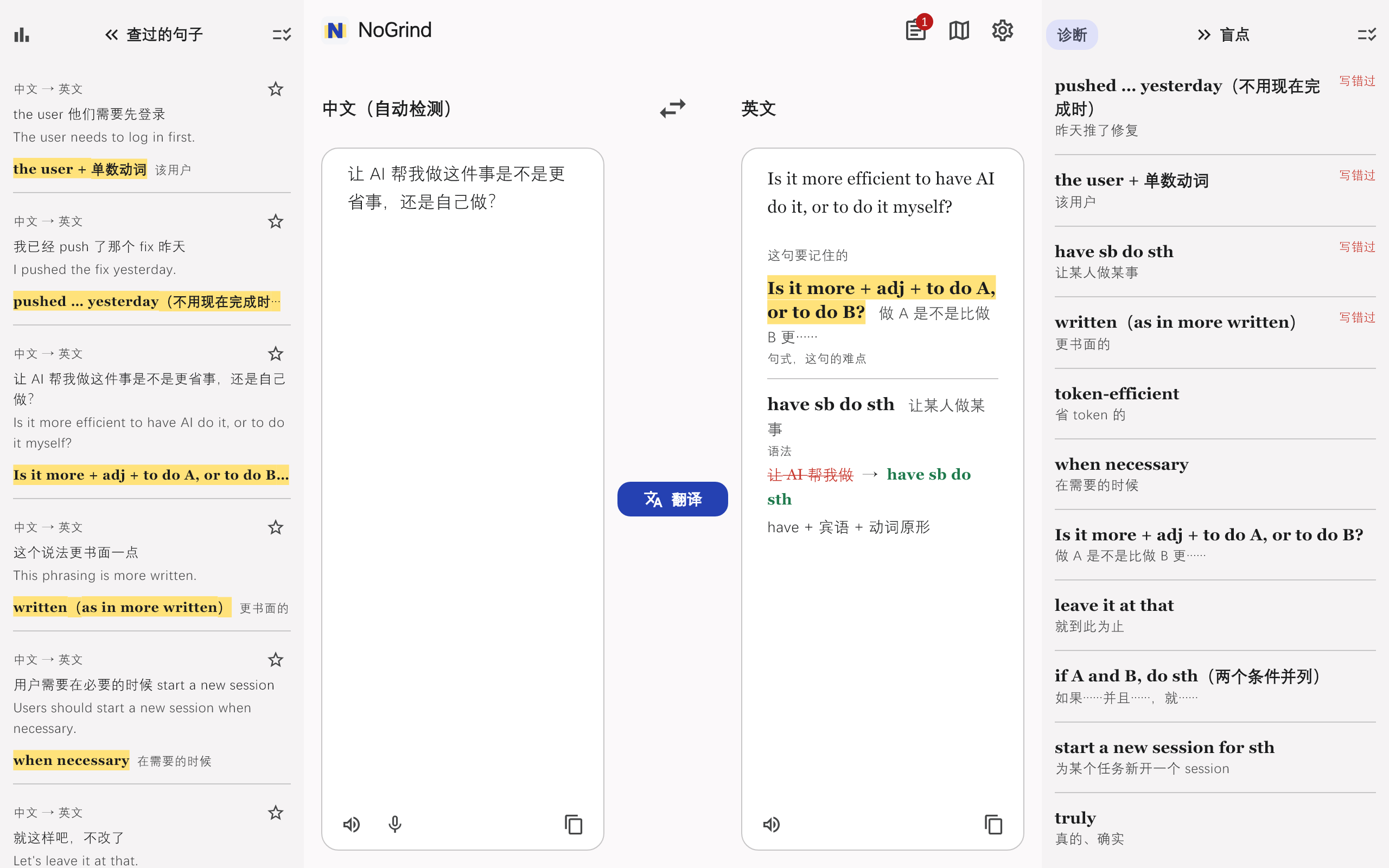
I pushed the fix yesterday.

have pushed→pushed … yesterday

With “yesterday”, use the simple past, not the present perfect.

Your blind spots

  • pushed … yesterdaysimple past, not present perfectwrote it wrong
  • have sb do sthget someone to do something
  • when necessarywhen needed
  • leave it at thatstop there

What it does in the background

You only look things up. These four steps happen without you having to organise anything.

  1. Look up a sentence, and see what you really didn’t know

    Write in your own language, or mix it with English. English you wrote yourself gets a red line only when it is actually wrong. The hard part of the sentence is highlighted and goes onto your blind-spot list on the right.

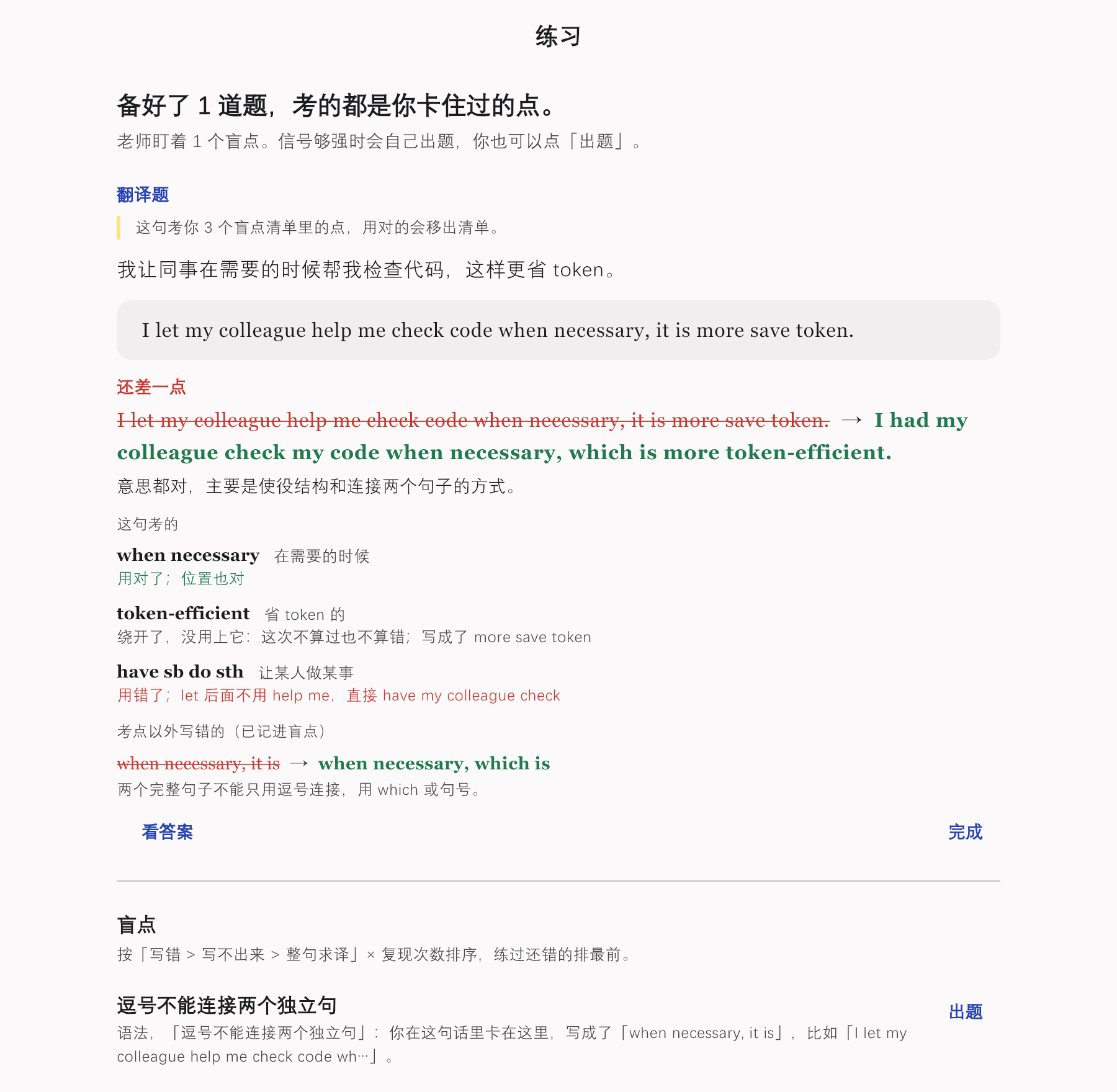
  2. Exercises only when there is something to practise

    Each exercise is one sentence to translate, built from 2 or 3 of your blind spots. The rest of the sentence uses only words you already know. Grading goes point by point: used correctly, it leaves the list; avoided, it stays; used wrongly, it starts over.

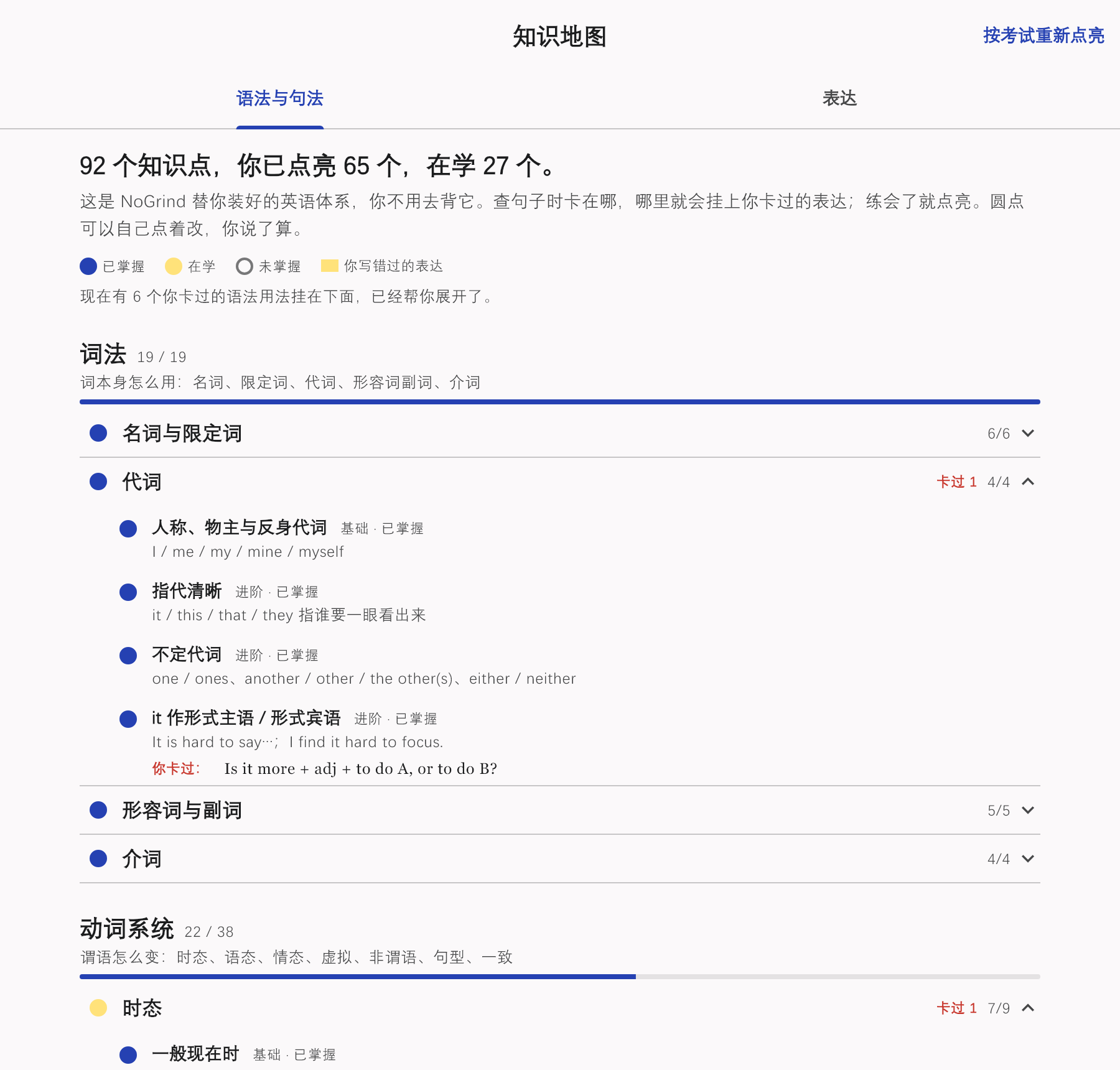
  3. A knowledge map that lights up as you go

    92 grammar points, partly lit from your exam scores at the start, then updated by what you actually write. If it got one wrong, click the dot and change it. Your call wins.

  4. Spot checks until it sticks

    Leaving the list doesn’t mean learned: the expression comes back for a spot check after 3, 7 and 21 days. And the statistics don’t count how much you look up, but how many expressions trip you up for the first time each week.

    1. You write it wrongor can’t write it at all. It goes on your list.
    2. You use it right in an exerciseIt leaves the list.
    3. 3 days latera spot check
    4. 7 days, then 21 daystwo more spot checks
    5. Learnedcounted as progress

    Get a spot check wrong, or write it wrong again while translating, and it goes straight back on your list.

Screens show a Chinese-speaking learner with sample data. The app and its explanations are also available in English, Japanese, Korean, French, German and Spanish.

Select text anywhere and press one shortcut

NoGrind sits in the system tray. Select a sentence in your editor, browser or chat app and press Ctrl+Alt+T: the translation pops up, and your clipboard is left exactly as it was.

Ctrl+Alt+N brings the window up from anywhere. Both shortcuts can be changed in Settings.

What NoGrind won’t do

Download NoGrind for Windows

  • Unzip it anywhere and run nogrind.exe. Nothing is installed.
  • Bring your own model API key: DeepSeek, OpenAI, Moonshot, Zhipu GLM or any OpenAI-compatible service. Enter it in Settings.
  • No account. Your sentences and progress are stored on your own computer. Text is sent only to the model service you chose.
  • The app isn’t code-signed yet, so Windows may say it “protected your PC”. Click More info → Run anyway.